
Get started with
Kidney Daily.
Start with what is useful to you. You do not have to track everything, or get everything set up on your first day.
A guide to the new Kidney Daily build · September 15, 2026
Your first day with Kidney Daily
Start by choosing one part of your routine you would like to remember. That might be a meal, a blood pressure reading, or a question for your next appointment.
Find your way around
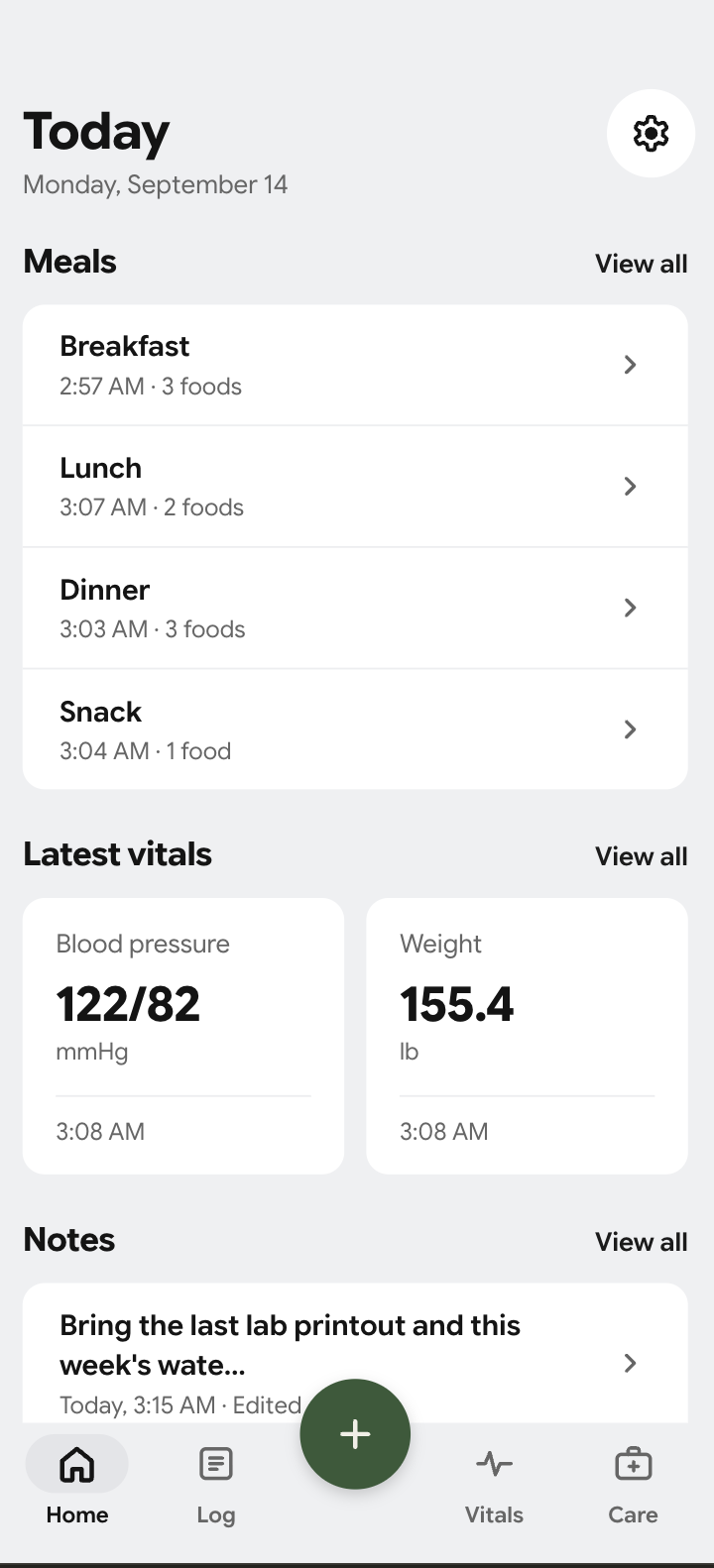
- Home brings recent meals, vitals, and notes into a daily overview.
- Log holds your food entries and daily nutrient and fluid totals.
- Vitals holds blood pressure, optional pulse, and weight history.
- Care brings appointments, care contacts, medicines, and reminders together.
Make one entry
Use the central plus button to begin an entry. Review its details and save it. You can come back and add more later.
Set targets with your care team
Nutrition and fluid needs are personal. Review the targets kept in the app with your care team. A value shown in a screenshot is an example, not a target for you.
Understand your food log
The Log screen brings sodium, potassium, phosphorus, protein, and known fluids together. As you record food, the app adds known values to your selected day.
Choose how to add food
You can enter a food manually, search the catalog, or use barcode scanning where available. Optional connected AI can start a draft from a description or meal photo.
- Enter or select the food and its portion.
- Review the name, amount, units, and nutrient values.
- Save the entry to the appropriate day and meal.
An estimate is a starting point
AI can misunderstand a meal or its portion. Check the draft before you log it. Compare a packaged food with its label when possible. Unknown nutrients stay unknown; missing information should never be read as zero.
Keep fluids in view
Record drinks and review known fluid totals alongside your meals. Ask your care team whether a fluid target applies to you and what it should be. The app does not prescribe fluid limits.
Keep the reading and its context
In Vitals, add a blood pressure reading with optional pulse, or record your weight. Check the date, time, and units before saving.
Use the time-range control to look back at your recorded history. Bring questions about readings or changes to your care team. The app records information; it does not diagnose or interpret it.
Prepare for your appointment
Open Care to organize your next appointment and care-team contacts. You can keep visit questions and notes together, instead of trying to remember them at the door.
- Check your next appointment’s date, time, and location.
- Write down the questions you want to ask.
- Review your medicines, recent entries, and any record PDFs you plan to bring.
- Create a Doctor Export PDF when you want a shareable summary. Review it before saving, printing, or sharing.
Creating a PDF does not send it to your clinician. You choose how and with whom to share it. Local reminders need Android notification permission and suitable device settings; do not rely on them for urgent care.
Know what stays and what leaves
Your diary stays on your phone. Signing in does not create cloud sync or backup. Where local backup is available, save the file to a location you control and keep it secure. Restoring a backup replaces the portable diary after confirmation.
Text and photo AI are separate choices. In Settings, open AI features to manage them. Turning a mode off does not erase a request already processed by a provider.
Read the Privacy Policy for more detail or visit Account and data deletion to make a request.
More help with the app
We’ll add more walkthroughs here as Kidney Daily grows. For a question about the app, email support@kidneydaily.com. Please keep sensitive health records out of ordinary support email.
Download for AndroidGoogle Play